Facebook gives advertisers two ways to track conversions: the Pixel and the Conversion API. Both send event data to Meta. But they work in completely different ways. Choosing the right one — or using both — directly affects how well your campaigns perform.
This guide breaks down the real differences. No jargon. No fluff. Just a clear comparison so you can decide what fits your business.
What Is the Facebook Pixel?
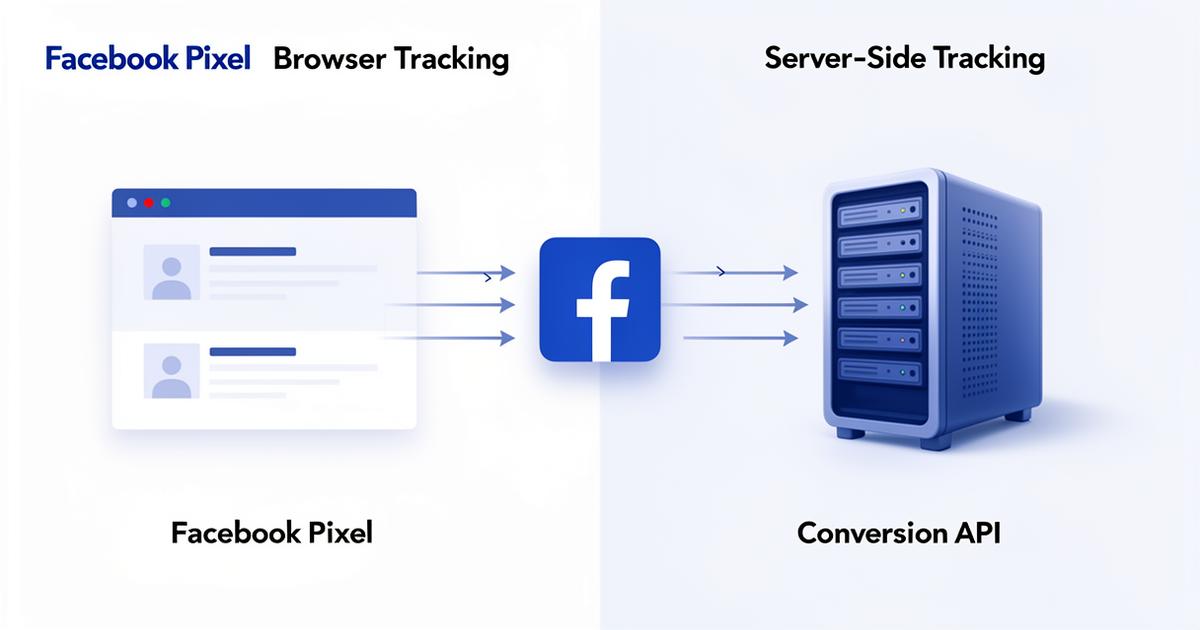
The Facebook Pixel is a small JavaScript snippet you add to your website. It runs inside the visitor's browser. Every time someone takes an action — views a product, adds to cart, or completes a purchase — the pixel fires and sends that event to Facebook.
It has been the default tracking method for years. Setup is straightforward. You paste the code into your site header and configure events through Events Manager or Google Tag Manager.
But there is a catch. The pixel depends entirely on the browser. If anything blocks it from firing, that data is lost forever.
What Is the Conversion API?
The Conversion API (CAPI) sends event data directly from your server to Facebook's servers. It bypasses the browser completely. No JavaScript. No cookies. No dependence on the visitor's device or settings.
Because it operates server-side, it is immune to ad blockers, browser privacy restrictions, and iOS tracking limitations. The data reaches Facebook regardless of what the user's browser does.
Setup requires more work. You need server access or a supported platform integration. But the payoff in data accuracy is significant.
Key Differences at a Glance
Here is how the two methods compare across the most important factors:
| Feature | Facebook Pixel | Conversion API |
|---|---|---|
| Where it runs | Browser (client-side) | Server (server-side) |
| Blocked by ad blockers | Yes | No |
| Affected by iOS 14.5+ | Yes | No |
| Cookie dependency | High | None |
| Setup difficulty | Easy | Moderate |
| Data accuracy | 60–80% | 95%+ |
| Real-time tracking | Yes | Near real-time |
| Offline events | Not supported | Supported |
Why the Pixel Is Losing Ground
The pixel worked well for a long time. But the advertising landscape has changed. Three major shifts have weakened browser-based tracking:
- Ad blockers: Over 30% of internet users now run ad blockers. These tools prevent the pixel from loading at all.
- iOS App Tracking Transparency: Since iOS 14.5, Apple requires apps to ask for tracking permission. Most users opt out. This severely limits pixel data on iPhones and iPads.
- Browser cookie restrictions: Safari and Firefox already block third-party cookies by default. Chrome is following suit. The pixel relies on cookies to identify users across sessions.
The result? Pixel-only tracking now misses 20–40% of actual conversions. That means your reported numbers understate reality, and Facebook's algorithm has less data to optimize your campaigns.
Where CAPI Wins
The Conversion API solves every problem listed above. Here is what makes it the stronger option for modern advertising:
- Complete data capture: Server-side events reach Facebook even when ad blockers or privacy settings block the pixel.
- Better match quality: CAPI lets you send hashed customer data — email, phone number, name — which improves how Facebook matches events to user profiles.
- Offline conversion support: Track phone orders, in-store purchases, or CRM events that happen outside the browser.
- Future-proof: As cookieless tracking becomes the norm, server-side solutions will be the only reliable option.
When to Use the Pixel Alone
The pixel still makes sense in limited scenarios:
- You are running a simple landing page with minimal traffic
- Your budget is small and you cannot justify server-side setup costs
- You are testing a new campaign and need quick, temporary tracking
Even in these cases, the pixel should be considered a starting point — not a permanent solution. As soon as your ad spend grows, the data gaps will cost you more than the setup effort.
When to Use CAPI Alone
Pure server-side tracking works well when privacy compliance is your top priority. Some businesses in regulated industries prefer to avoid client-side JavaScript entirely. CAPI gives you full control over what data gets sent and when.
However, running CAPI alone means you lose some browser-specific signals like scroll depth and time on page. For most advertisers, the best approach is combining both methods.
The Best Approach: Use Both Together
Meta explicitly recommends running the pixel and CAPI side by side. This is called redundant tracking. When both fire for the same event, Facebook deduplicates them using a shared event ID. You get the browser-level detail from the pixel plus the reliability of server-side data from CAPI.
The benefits of dual tracking include:
- Maximum data coverage — no conversions lost
- Stronger algorithm optimization signals
- Higher Event Match Quality scores
- More accurate attribution and reporting
How to Get Started
Setting up CAPI depends on your platform. Most major e-commerce platforms now offer built-in integrations:
- Shopify: Enable through the Facebook & Instagram sales channel with "Maximum" data sharing.
- WordPress: Use the official Meta pixel plugin or PixelYourSite Pro.
- Magento: Install Meta's official extension from the Marketplace.
- BigCommerce: Connect via the Meta Pixel app or GTM Server-Side.
If your platform lacks a native integration, the Conversions API Gateway provides a managed solution that requires no custom development. For full flexibility, manual CAPI setup gives you complete control over your implementation.
Conclusion
The Facebook Pixel is not dead. But it is no longer enough on its own. Privacy changes, ad blockers, and cookie restrictions have turned it into an incomplete tracking solution. If you rely on the pixel alone, you are making budget decisions based on partial data.
The Conversion API fills those gaps. It captures what the pixel misses, improves match quality, and gives Facebook's algorithm the signals it needs to optimize your campaigns effectively.
For most businesses, the answer is not one or the other. It is both. Start with the pixel for quick setup, then add CAPI to unlock the full potential of your conversion tracking strategy.
Frequently Asked Questions
Can I use the Conversion API without the pixel?
Yes. CAPI works independently and sends data directly from your server. However, Meta recommends using both together for maximum data coverage and deduplication.
Does CAPI replace the Facebook Pixel?
Not exactly. CAPI complements the pixel rather than replacing it. The pixel captures browser-specific signals, while CAPI ensures reliable server-side data delivery. Together they provide the most complete tracking.
Is the Conversion API harder to set up?
It requires more technical setup than the pixel, but most major platforms like Shopify, WordPress, and Magento now offer built-in integrations that simplify the process significantly.
How does deduplication work with both methods?
When both the pixel and CAPI fire for the same event, they share a unique event ID. Facebook matches the two events and counts the conversion only once, preventing double-counting.
Which method gives better data for ad optimization?
CAPI generally provides more reliable data because it is not affected by ad blockers or privacy settings. However, using both methods together gives Facebook the richest dataset for campaign optimization.
Related Article
Facebook Conversion Tracking: Why It's Key to Your Ad Strategy
Also Read
What is Meta Conversion API and How Does It Improve Campaigns?

Daniel Moreno
Performance marketing specialist with 8+ years of experience managing Facebook and Meta ad campaigns. Focused on server-side tracking, Conversion API implementation, and data-driven ad optimization for e-commerce and lead generation businesses.